ALIENS ONLINE (1998)
Overview
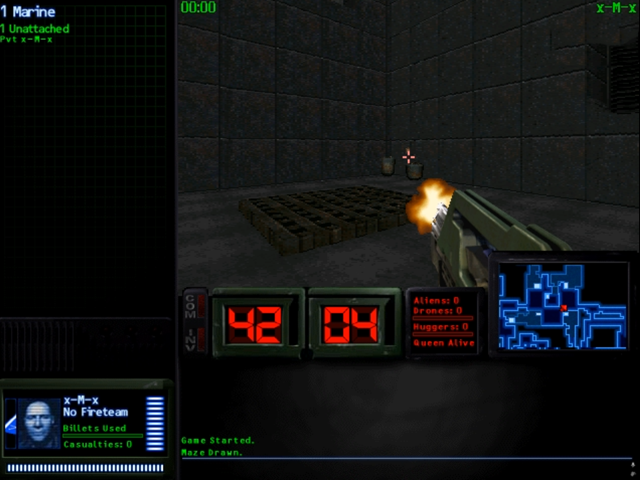
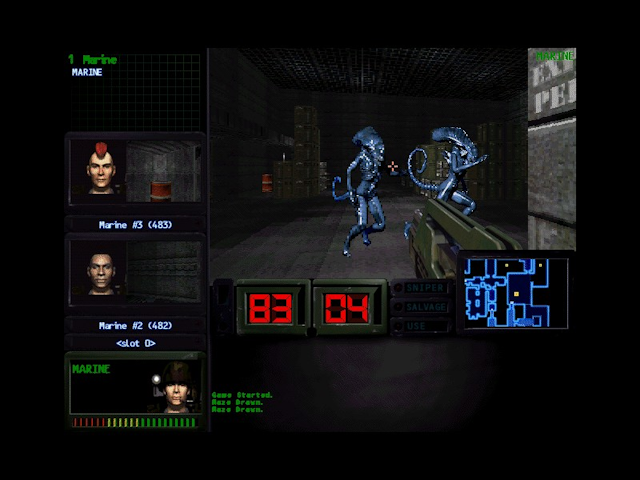
Aliens Online was a multiplayer-only first-person shooter set in the Alien universe.
- Developer: Mythic Entertainment (with Kesmai)
- Publisher: Fox Interactive
- Platform: Windows PC
- Release: 1998 via the GameStorm/AOL service
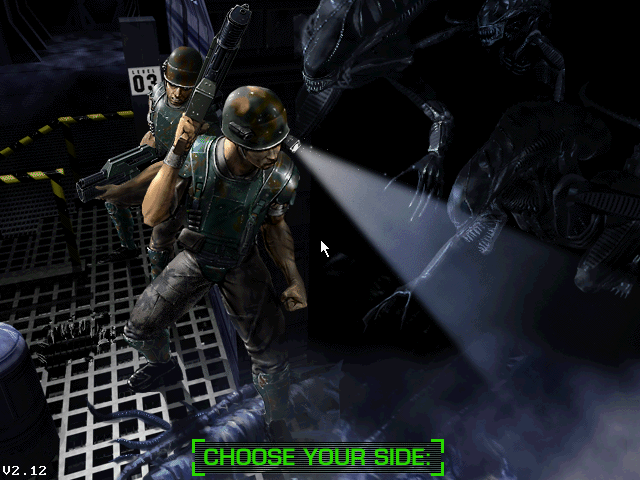
Players joined either the Colonial Marines or the Alien Hive, battling in dark sci-fi facilities with tense, objective-driven matches.
How it Played
- Two asymmetrical sides: Marines bring firearms and motion trackers; Aliens move fast, climb walls/ceilings, and strike with claws, tails, and pounces.
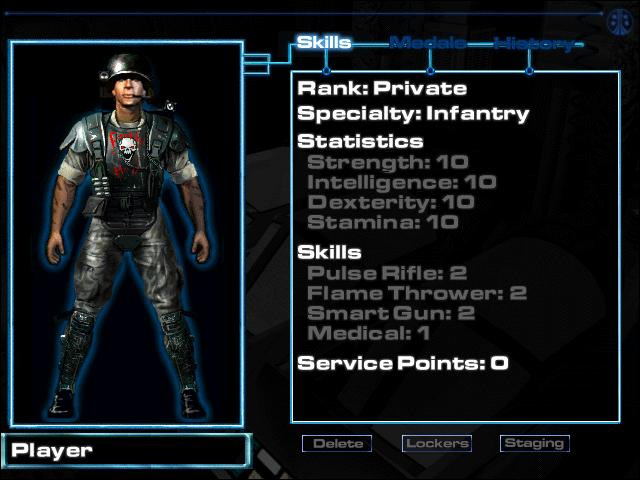
- Progression & roles: Marines select specialties (Infantry, Medic, Heavy Weapons) and spend service points to raise skills; Aliens field castes like Drones and the Queen.
- Team objectives: Search-and-destroy, hive purges, and infiltrations played in dim corridors where motion-tracker pings build tension.
- Social hub: Lobbies, ranks, and stat tracking supported squads, clans, and competitive play.
Game Types / Missions
At launch, Aliens Online featured a single competitive mode Eradication. With Patch 2.21 the experience broadened,
introducing objective-focused variants that emphasized teamwork, pacing, and strategy.
- Eradication: Simple team deathmatch where each side attempts to deplete the opponent’s pool of respawns.
- Timed Eradication: Adds a strict time limit to keep matches moving and prevent stalemates.
- Capture: Marines raid the hive to seize a limited number of eggs and return them to the drop zone. The carrier is slowed and cannot attack; Aliens can recover or hide eggs.
- Demolition: Marines deliver explosive charges to marked objectives. Carriers move slowly and cannot fire; once planted, charges cannot be disarmed by Aliens.
- Stranded: After a countdown, entry locks and no new Marines can join. With no respawns, the squad must reach and hold the extraction point until the mission concludes.
- Retrieval: Locate a data core and return it to the drop zone. Early versions allowed Aliens to relocate the core, but exploitative placements led to later restrictions.
FACTIONS
Aliens
- Movement: First-person predators with wall/ceiling traversal for ambushes.
- Classes: Includes Drones and the devastating Queen.
- Gameplay Style: Emphasis on stealth, speed, and melee dominance to protect the hive.
Marine
- Weapons: Classic FPS gunplay with the M41A Pulse Rifle, flamethrower, smart gun, and motion tracker.
- Specializations: Infantry, Medic, and Heavy Weapons classes with role-based progression.
- Team Play: Coordinated assaults, objective-focused teamwork, and base defense.
Marines Info
Marines operate in fireteams, relying on motion trackers, flares, and combined-arms weapons. Service points improve skills like Pulse Rifle, Flamethrower,
Smart Gun, and Medical support allowing units to specialize for clearing rooms, holding corridors, or rescuing teammates.
Aliens Info
The Alien faction prioritized speed, stealth, and ambush tactics over direct confrontation.
Alien players moved significantly faster than Marines and did so in complete silence, making them difficult to detect.
Maps featured interconnected tunnels, vents, and hidden passages designed to let Aliens traverse the environment freely and stage ambushes at strategic choke points.
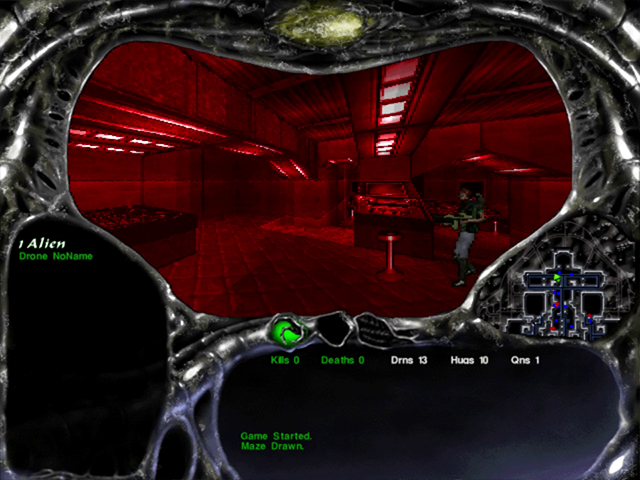
Aliens viewed the battlefield through a red-tinted perspective and possessed a key advantage: their minimap displayed the locations of all NPCs, players, and enemy units, allowing them to track and hunt targets with precision.
Maps
Aliens Online offered a total of eight distinct maps, each providing unique environments and tactical opportunities.
Maps were rotated randomly across multiple game instances, keeping gameplay fresh and unpredictable.
- LV-426B: A colony setting reminiscent of classic sci-fi outposts.
- Agro V-345Z: An agricultural complex with sprawling facilities and open spaces.
- USS Coronado: A deep-space vessel featuring tight corridors and layered decks.
- Station Zeta-4: A futuristic space station with interconnected modules and control centers.
- MR-456 Mining: A mining colony with industrial structures and rugged terrain.
- Military Base: Introduced in version 2.12, this map offered fortified defenses and choke points.
- Waste Facility: Also added in version 2.12, featuring hazardous materials and narrow passageways.
- Undersea Base: Another v2.12 addition, set beneath the ocean with pressurized corridors and unique visual design.
S.C.A.R.E.
S.C.A.R.E. functioned as an offline training environment for Marines, though the acronym itself never officially stood for anything.
In this mode, Marines could load any available map to freely explore its layout while engaging only with computer-controlled A.I. drones.
Key features of S.C.A.R.E. included:
- Full access to all weapons for practice and familiarization.
- Non-aggressive A.I. Marines appearing exclusively in this mode.
- An Alien counterpart mode called Genetic Memory, offering similar functionality for Alien players.
Following the official shutdown of Aliens Online, S.C.A.R.E. gained additional significance as it became the only method for exploring the game's maps offline.
By modifying a simple configuration file, players could bypass the GameStorm network checks and roam the maps freely.
Enabling Offline S.C.A.R.E. Mode:
- Navigate to the Aliens Online root directory and locate the file named
main.dat.
- Open
main.dat in Notepad and search for the heading [socket].
- Find the line
protocol=aries. Prefix it with a semicolon so it reads ;protocol=aries.
- Below it, add a new line reading
protocol=single (without the semicolon).
- Save the file and launch the game to access S.C.A.R.E. mode offline.
Note: Version 2.21 of Aliens Online removed both S.C.A.R.E. and Genetic Memory from the game.
BACK TO TOP